
SaaS SEO for Non-Experts: Where to Start
Match your site to what buyers search: review homepage, pricing, and demo pages, compare one competitor, then close the biggest content gap.
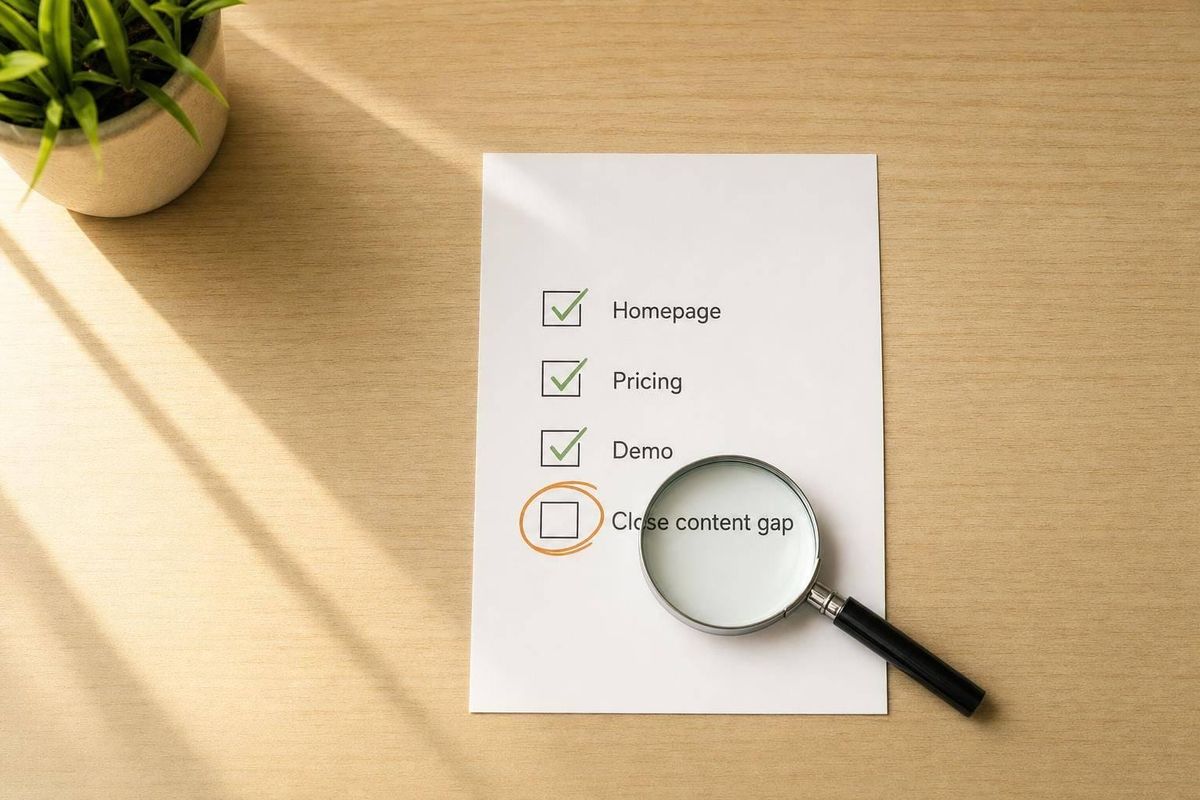
If I were starting SaaS SEO today, I’d do three things first: review my money pages, compare one competitor, and fix one missing page or message gap. That’s the short version.
SEO can lower customer acquisition costs by 3x to 6x versus paid ads, but it often takes 3 to 6 months to show results. So I wouldn’t start with blog posts at random. I’d start with the pages tied closest to trials, demos, and revenue.
Here’s the article in plain English:
- Start with core pages: homepage, pricing, demo/free trial, feature, solution, and integration pages
- Check page basics: title tags, H1s, internal links, and whether the wording matches what buyers search for
- Study one competitor: look for use case, industry, comparison, alternative, and integration pages
- Spot missed demand: if buyers search for something and my site has no page for it, that’s a gap
- Take one action: build a page, improve a page, or rewrite the message
A few numbers stand out:
- Pricing pages can convert at 4% to 8%
- Comparison and alternative pages can convert at 7.5%+
- Standard blog content may convert closer to 0.5%
That means the first SEO wins often come from bottom-of-funnel pages, not from publishing more top-of-funnel articles.
If I had to put the whole piece into one line, it would be this: match your site to what buyers search, then close the biggest gap first.
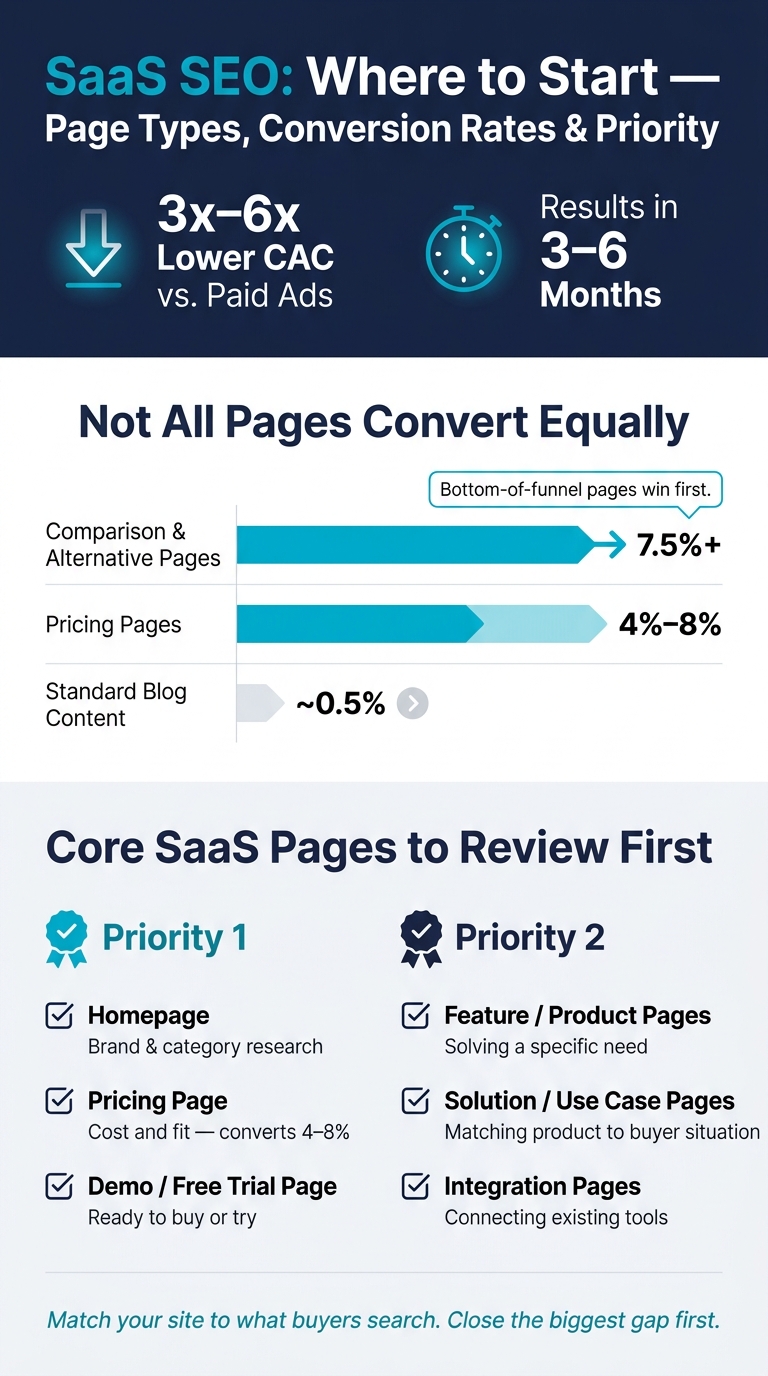
SaaS Page Types: Conversion Rates & SEO Priority
The First SaaS Pages to Review
Which pages matter most for early SEO
Start with the pages that line up with searches buyers already make. For SaaS, that usually means your homepage, feature pages, solution pages, pricing, integrations, and demo or trial pages.
Your homepage can rank for your main category term, such as "project management software" or "invoicing tool for freelancers." Feature pages and solution pages often pick up most non-brand search demand. Feature pages explain what your product does. Solution pages tie those features to a buyer's specific problem, like "CRM for real estate agents."
Pricing pages convert at 4–8%, which makes them a direct route from search to trial or demo. Integration pages help buyers confirm that your product works with the tools they already use. Demo and free trial pages should push one clear action: start a trial or book a demo.
What to check before building more pages
Before you build new pages, review what’s already live.
Start with your page titles and H1 headings. Use one clear H1 with the main keyword, and keep the title tag under 60 characters.
Then read the copy itself. Is the page leading with a benefit, or just listing features? On feature and solution pages, benefit-led copy often does a better job because it tells people why the page matters to them.
Also check whether your pages link to each other. Blog posts and help articles should point to your pricing, feature, or trial pages. That helps search engines see which pages matter most, and it helps visitors move toward a decision without getting stuck.
Last, look at the language on the page. This part is easy to miss. If your customers search for a "client portal" but your page says "customer-facing dashboard", you may be making life harder for both search engines and buyers.
These pages are the first set to review before deciding what to build next.
Page type, intent, and priority
Use this table to see where to focus first.
| Page Type | Primary Visitor Intent | Priority |
|---|---|---|
| Homepage | Brand/category research | Priority 1 |
| Pricing | Cost and fit | Priority 1 |
| Demo / Free Trial | Ready to buy or try | Priority 1 |
| Feature / Product | Solving a specific need | Priority 2 |
| Solution / Use Case | Matching product to their situation | Priority 2 |
| Integration | Connecting existing tools | Priority 2 |
Once these core pages are mapped out, compare them with competitor pages to spot missing demand and weaker messaging.
sbb-itb-0a8c96a
How Competitor Sites Help You Find Demand
What competitor page structure can tell you
Compare your core pages with competitor coverage to see what buyers already expect.
Competitor sites can show you which pages are already pulling in demand. Start with the page types they publish: use case pages, industry pages, comparison pages, and alternative pages. These are often high-intent pages aimed at people who are already in buying mode.
Then look at how their site is arranged. Do they organize content by feature, industry, or use case? Check the page structure too: the H2s, H3s, content depth, and the technical terms they use to explain features. The goal isn't to copy their wording. It's to spot the pattern underneath.
When several competitors publish the same kind of page, that repetition is a strong signal. It usually means buyers ask for those topics again and again.
Comparison and alternative pages deserve extra attention. These pages target buyers who are close to making a decision, and they convert at 7.5%+ compared with 0.5% for standard blog content. Integration pages matter too. They can show which other tools your audience already uses and wants to connect with.
Using Competitor Analysis Tool to spot demand, messaging, and visibility gaps
Manual review takes time, and it's easy to read too much into the wrong thing.
Competitor Analysis Tool compares your site with a competitor's and points out demand, messaging, and visibility gaps. That makes it easier to see what to work on next, without needing SEO expertise.
Your site vs. competitor page coverage: a side-by-side view
Use this checklist to spot pages your site may be missing when competitors already have them in place.
| Page Type | Your Site | Competitor Site | Gap |
|---|---|---|---|
| Pricing | Yes / No | Yes / No | High |
| Features | Yes / No | Yes / No | Medium |
| Solutions / Use Cases | Yes / No | Yes / No | High |
| Integrations | Yes / No | Yes / No | High |
| Comparisons | Yes / No | Yes / No | Very High |
| Alternatives | Yes / No | Yes / No | Very High |
If your competitor has a page and you don't, that's a gap worth checking.
How to Recognize Missed Search Demand
Clear signs your site is missing demand
After you compare page coverage, the next step is simple: figure out whether the gap points to missing demand or weak visibility.
Missed search demand happens when buyers are searching for topics your site should show up for, but your pages either don't fit the query or don't rank. A fast way to check is to look at competitor pages, the words customers use, and the current search results.
One of the clearest signs is a high-intent page gap. If a competitor has a use case, industry, comparison, or alternative page and you don't, they may be picking up buyers who are already close to making a decision while your site doesn't show up for that intent.
Another strong sign comes from your own customers. Pull the last 20 support tickets or sales call notes and write down the exact phrases people use to describe their problem. Then compare those phrases to your site. If they don't show up anywhere, that's missed demand. When your content matches how people search, you have a shot. When it doesn't, someone else gets the click.
A last check is as direct as it gets: open an incognito tab and search for your core problem. If page one is packed with competitor solution, integration, or comparison pages - and your site is nowhere in sight - that points to a visibility gap.
How to turn signals into page decisions
Once you spot a signal, tie it to the smallest change that can close the gap.
In plain English, each signal should lead to one move: build a new page, improve an existing page, or rewrite the message.
Build a new page when competitors rank for a term and your site has nothing aimed at it yet. This often shows up with comparison, alternative, use case, or industry pages.
Improve an existing page when you're already on page 2 or 3 for a term that matters, or when a page that used to rank well has slipped. Usually, that means the page is on-topic but still isn't clear enough or useful enough.
Rewrite your messaging when a page gets traffic but no one signs up. That's often a copy problem. The page may lean too hard on features or internal terminology instead of the problem the buyer searched for in the first place. Competitor Analysis Tool can help you tell whether the issue is a missing page, a messaging mismatch, or a visibility problem so you know what to fix first.
Signal, meaning, and next step: a quick reference table
Use the table below to pick the next move.
| Signal Observed | Meaning | How to Check | Next Action |
|---|---|---|---|
| Competitor has a "vs." or "alternatives" page you don't | They may be picking up buyers in the decision stage | Search "[Competitor Name] alternatives" in incognito | Create a transparent comparison or alternative page |
| Phrases from sales calls or support tickets aren't on your site | Your messaging doesn't match how buyers search | Review recent demo recordings or support tickets | Update H1 headings and page copy with those exact phrases |
| Competitor ranks for "[Your Category] + [App] integration" | Buyers want to know how your tool fits into their workflow | Search your product category plus common apps like Slack or Salesforce | Build dedicated integration landing pages |
| You appear on page 2 or 3 for a core problem | Your content needs more depth or a clearer structure | Compare your page against the top 3 results | Refresh the page with better structure, examples, or data |
| Competitor has industry-specific pages (e.g., "CRM for Real Estate") | You may be missing demand from specific verticals | Browse competitor navigation for industry pages | Create an industry-specific landing page |
SaaS SEO Marketing Ideas and Strategy (Micro SaaS Growth Tips)
Conclusion: A Simple Starting Plan for Non-Experts
The pattern here is straightforward: review your revenue pages, compare competitor coverage, then fix the biggest gap first.
3 actions to take this week
Start with the pages buyers are most likely to see first: your homepage, product page, and pricing page. For each one, ask a simple question: does this page speak to the problem a buyer is searching for, or does it mostly list features? If it feels more like a feature dump than a sales page, that’s your first fix.
Then choose one competitor - best if they already rank for a keyword you care about - and compare their page structure with yours. Check which pages they have that you don’t. The goal is to spot demand your site isn’t covering yet. Competitor Analysis Tool can run that comparison in under two minutes and show demand, messaging, and visibility gaps without needing SEO know-how.
After that, pick one gap and fix it. Not five. One. If they have a “vs.” page and you don’t, build it. Comparison and alternative pages can convert at 7.5% or more, compared with 0.5% for standard blog content. That’s the clearest early win.
Three pages reviewed. One competitor compared. One gap fixed. That’s a week well spent.
FAQs
What does SEO mean for a SaaS company?
For a SaaS company, SEO means tuning your website so it shows up in search results when potential buyers look for answers to their problems.
This isn't just about getting more traffic. It's about bringing in high-intent visitors who are ready to evaluate options, compare tools, or buy, with extra attention on pages that lead to outcomes like free trial signups and demo requests.
Which SaaS pages should I fix first?
Before you publish anything new, get the technical basics in shape so search engines can crawl and index your site the way they should. That means fixing crawl errors, broken links, missing sitemaps, HTTPS issues, and Core Web Vitals problems.
Once that’s done, put your focus on bottom-of-funnel pages that are more likely to drive conversions. This usually includes:
- Comparison pages
- Alternative pages
- Feature landing pages
- Use-case landing pages
- Integration pages
These pages often convert better than awareness-focused content.
How can I tell if my site is missing search demand?
Look for gaps where competitors rank for high-intent keywords and your site doesn’t. A competitor keyword gap analysis can show missed buyer-focused searches, like use-case terms or competitor alternatives.
Also check whether Google can crawl and index your pages, and review Google Search Console. If bottom-of-funnel category searches aren’t showing up in your impressions, there’s a good chance you’re missing demand.